Programmable completion for git and mercurial

Some time ago i read excellent post about emacs library pcomplete.

The author described implementation of completion for git, mercurial version control system using this library. Article is really usefull, i used code as is, its easy and provides all you need, but later i have some problem with it.

First problem - eager evaluation. General commands for git and mercurial are calculated once. Great, there is no reason to call external process like git or hg multiple times but precalculation occured at script evaluation. You may not want to start eshell, so call hg or git is not needed.

PATH variable for gui programs (Mac Os)

Foreword:
Sometimes you need to edit PATH variable.
Of course you edit .bash_profile, .bashrc, .profile or other scripts and this works fine only in terminal.
GUI apps at Mac Os use its own PATH variable (moreover has its own environment), which can be set using ’launchctl setenv PATH <PATH_VALUE>’.
So you need to setup PATH for GUI apps correctly, and do not forget about PATH var for terminal.

Moreover, after update to Mac Os X 10.10 Yosemite i was wondering about this:

Git rerere

There is some usefull git command rerere (reuse recorded resolution). Sometimes especially for long lived branch you need to resolve same conflicts again and again. This command let you save the results of conflict resolution and apply it again when needed.

Let see how its works:

# create test repo
git init rerere

# move to it
cd rerere

# enable rerere - reuse recorded resolution (its disabled by default)
git config rerere.enabled true

# add some file
echo "test" > readme.txt
git add .
git commit -m "initial"

# add some changes
echo "line1" >> readme.txt
git add .
git commit -m "1"

# save first revision hash (used only to avoid hardcoded hash sums)
initialRevision=`git log HEAD^1 --pretty=format:"%H"`

# create second branch based on initial revision
# (simulate one long lived branch)
git checkout -b first $initialRevision
echo "line2" >> readme.txt
git add .
git commit -m "2"

# create third branch based again on initial revision
# (simulate one more long lived branch)
git checkout -b second $initialRevision
echo "line2" >> readme.txt
git add .
git commit -m "2 again"

# move to master
git checkout master

# merge with first long lived branch
git merge first

# resolve conflict and preserve line1
echo -e "test\nline1" > readme.txt
git add .
git commit -m "first merge"

# now watch for output:
# 'Recorded resolution for 'readme.txt'.'
# git saves conflict resolution for readme.txt file

# now lets merge with second branch
# the same conflict has here

git merge second
# look at the output
# 'Resolved 'readme.txt' using previous resolution.'

cat readme.txt
# you can see the results of saved resolution without conflict markers
# means : "test\nline1"

This is pretty usefull for example, for package versions (pom files, project.clj), because such file fragments are strictly localized.

Platform specific build event

Sometimes you need to build .net solution/project on different platforms (for example while developing xamarin based application). In that case pre/post build events may contain platform specific instructions.

To handle this situation you can use ‘Condition’ attribute and ‘OS’ variable, for example, like this:

<PostBuildEvent Condition=" '$(OS)' == 'Windows_NT' ">
  <!--  windows specifics -->
  copy $(TargetPath)  $(ProjectDir)../Assemblies /Y
</PostBuildEvent>
<PostBuildEvent Condition=" '$(OS)' == 'Unix' ">
  <!--  *nix, mac specifics  -->
  cp -f $(TargetPath) $(ProjectDir)../Assemblies
</PostBuildEvent>

If OS macro is undefined, you can explicitly define it at project level (projectName.cproj) like this:

Git log aliases

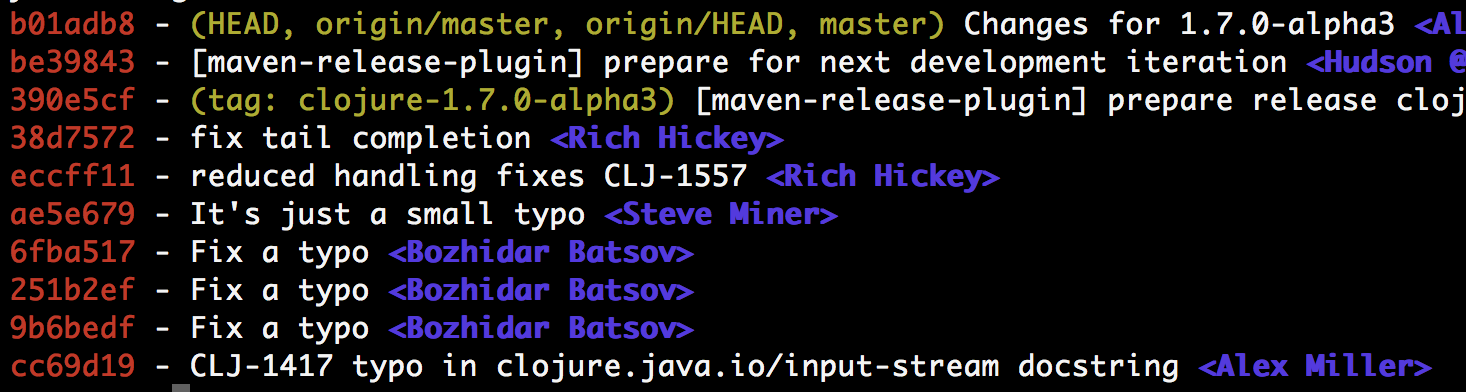
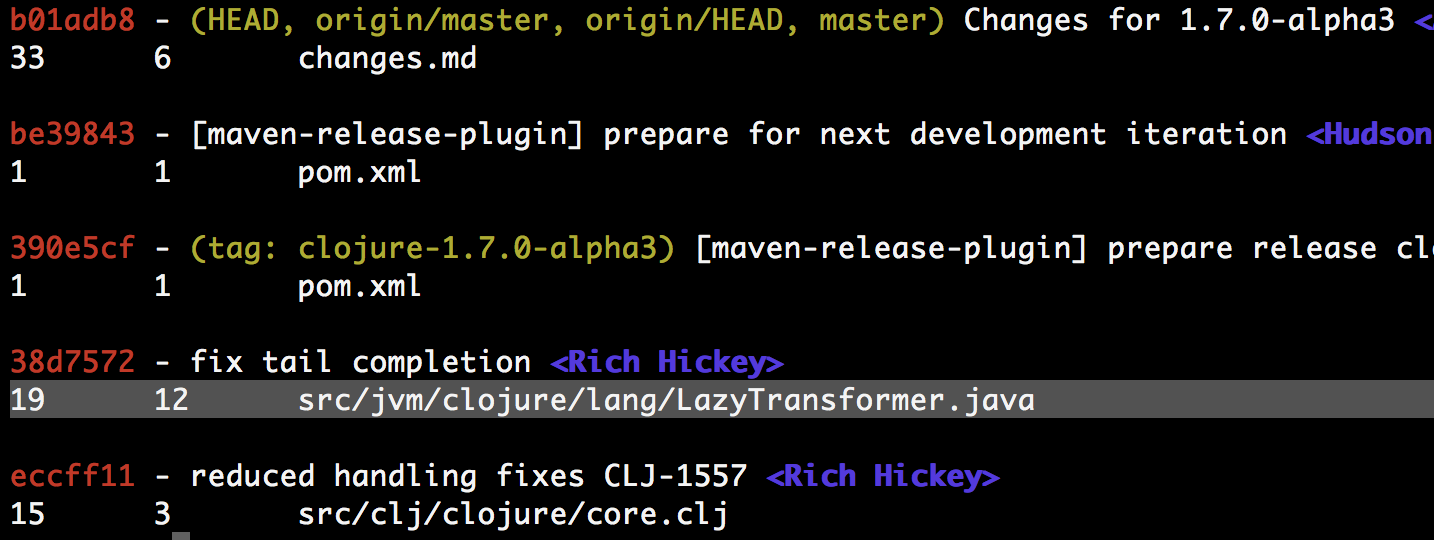
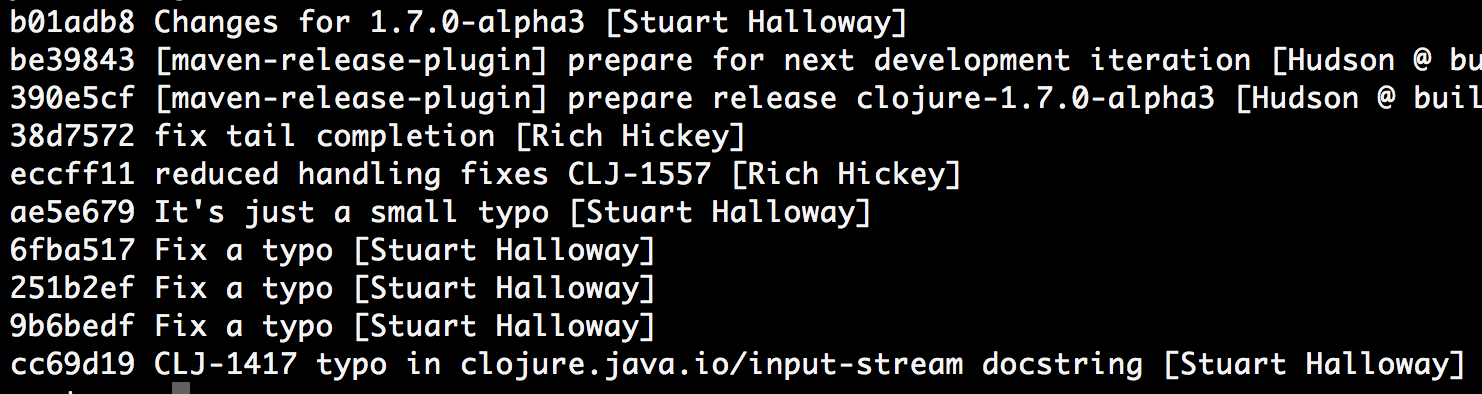
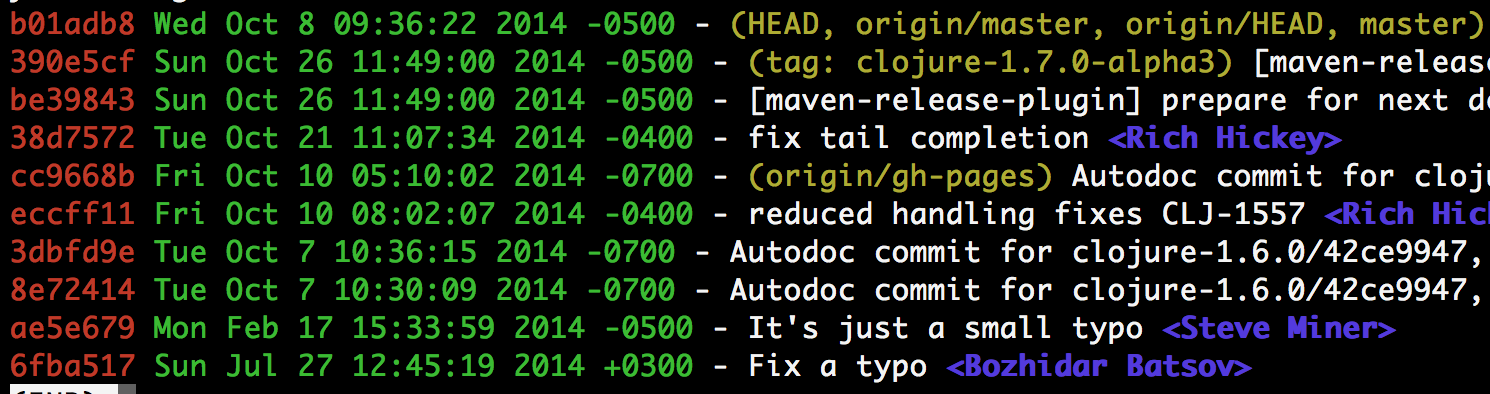
Here are some usefull git aliases which i use on a daily basis:
Output samples are generated using clojure repository

List of one line commits

ls = log --pretty=format:'%Cred%h%Creset -%C(yellow)%d%Creset %s %C(bold blue)<%an>%Creset'

ls

List of commits with changed files

ll = log --pretty=format:'%Cred%h%Creset -%C(yellow)%d%Creset %s %C(bold blue)<%an>%Creset' --decorate --numstat

ll

List of commits without colors

lnc = log --pretty=format:"%h\\ %s\\ [%cn]"

lnc

Commits with dates

ldt = log --all --pretty=format:'%Cred%h%Creset %Cgreen%ad%Creset -%C(yellow)%d%Creset %s %C(bold blue)<%an>%Creset'

ldt

Stackoverflow reputation problem

Some time ago i wrote gist which described how to install ghc from source on ubuntu. Today i see question on stackoverflow.com connected with my gist. I have fixed gist immediately and think about leaving comment to person who had some difficulties with it. I log on using google account and try to leave comment and … i cant do it because my repuration is too low (this is just new account). What ?!? This is service for questions and answers, why i have such strange limitation connected with main purpose of this resource. Completely disappointed.

Mac os environment variables

Suppose you install some program into your home directory (i had installed mercurial from source). To use it you have to patch PATH variable.

To achieve this, you needed to modify, for example, local .profile file (its undesirable to modify global config like etc/profile). So your .profile file contains something like this:

export PATH=$ADDITIONAL_PATH:$PATH

It wokrs great from terminal. But you cant use variable defined such way from programs launched throught spotlight, because all apps started from gui interface of Mac Os has its own list of environemnt variables (independent from terminal). In my case i cant access mercurial from emacs launched from spotlight.